What actually happens between a guest sitting down and your books closing.
No stage here is a black box. Every step below is a real part of the system, running today at The Bridge Restocafe.
Guest scans and orders
No app to download. A guest scans the table code, browses the live menu, and orders straight from their own phone.
QR ordering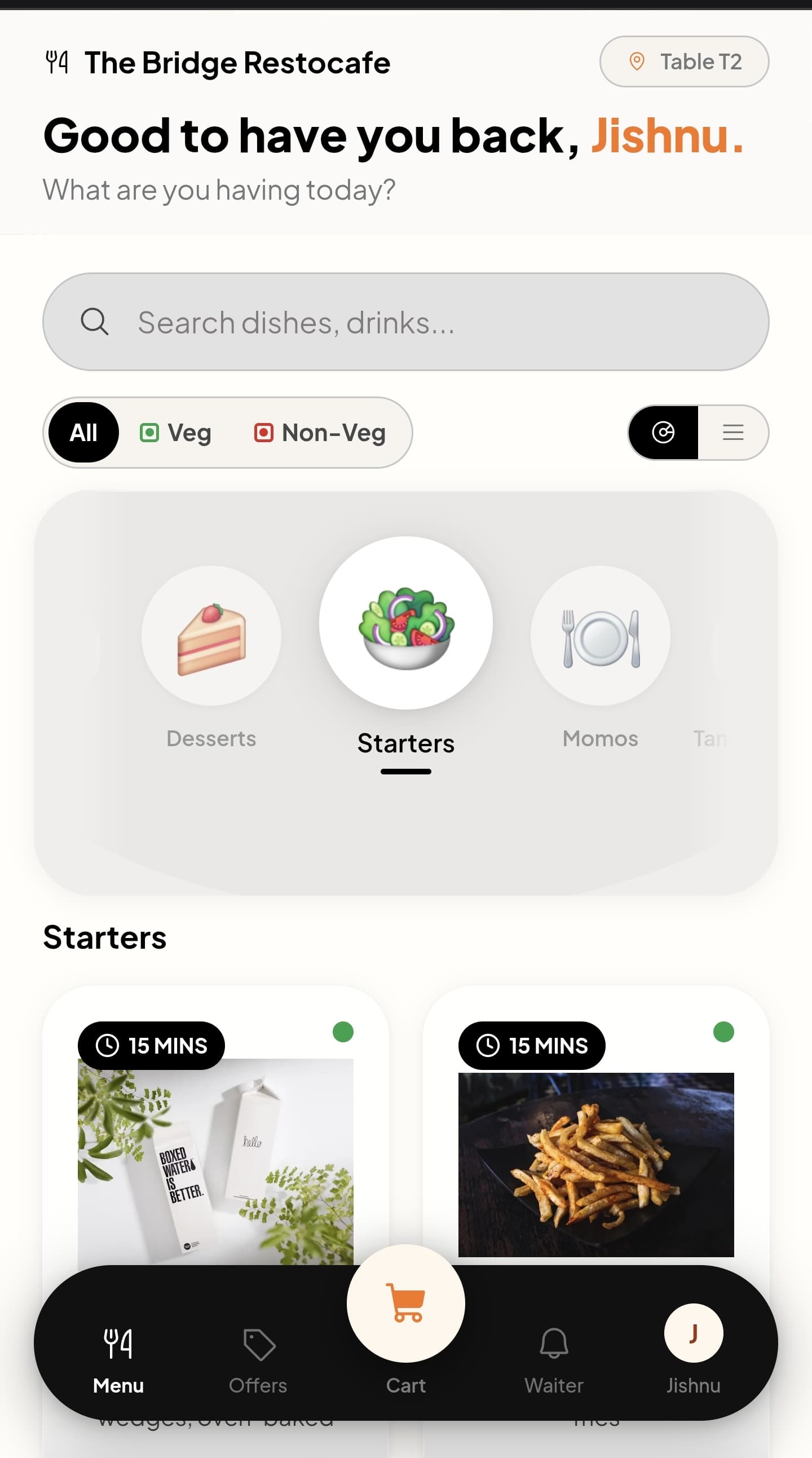
Manager accepts the order
The order lands in the queue first. Whoever's running the floor accepts it before it moves to the kitchen.
Order queueKitchen sees it on the big screen
The ticket appears on the kitchen's wall-mounted display the moment it's accepted, timed and queued by station.
Kitchen display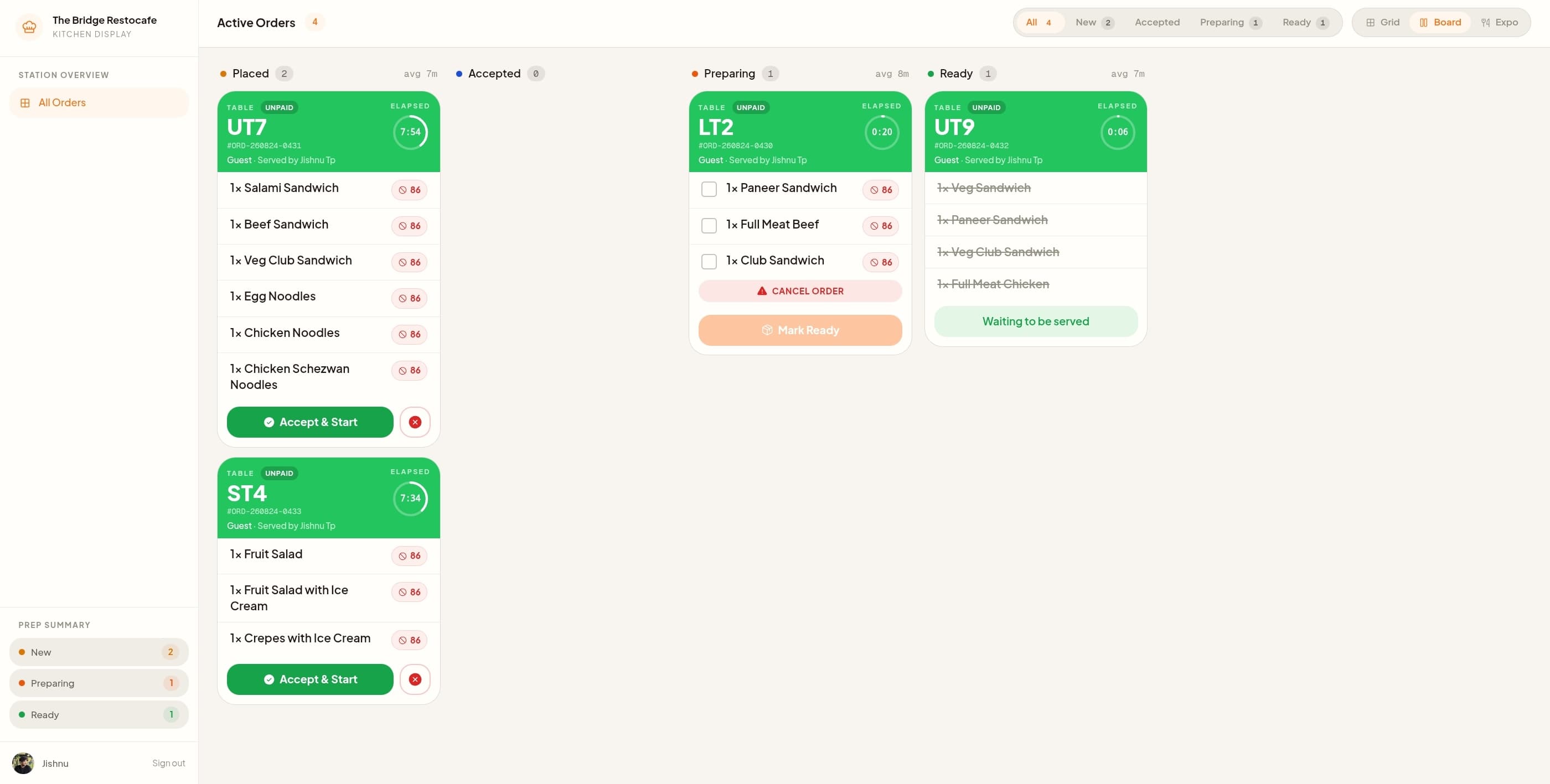
Chef preps, then marks it done
Each item gets prepped and marked done right on that same screen. No shouted orders, no paper tickets lost in the pass.
Kitchen displayGuest watches it happen, live
Accepted, preparing, ready. The guest's phone updates in real time, so nobody has to wave down a waiter to ask.
Order trackingKitchen marks it ready, waiter's notified
The moment a ticket is marked ready, the waiter's device gets a push notification. No checking back every two minutes.
NotificationsWaiter serves it, marks it served
Whatever's on hand, phone or tablet, the waiter closes the loop the moment the table's been served.
Waiter app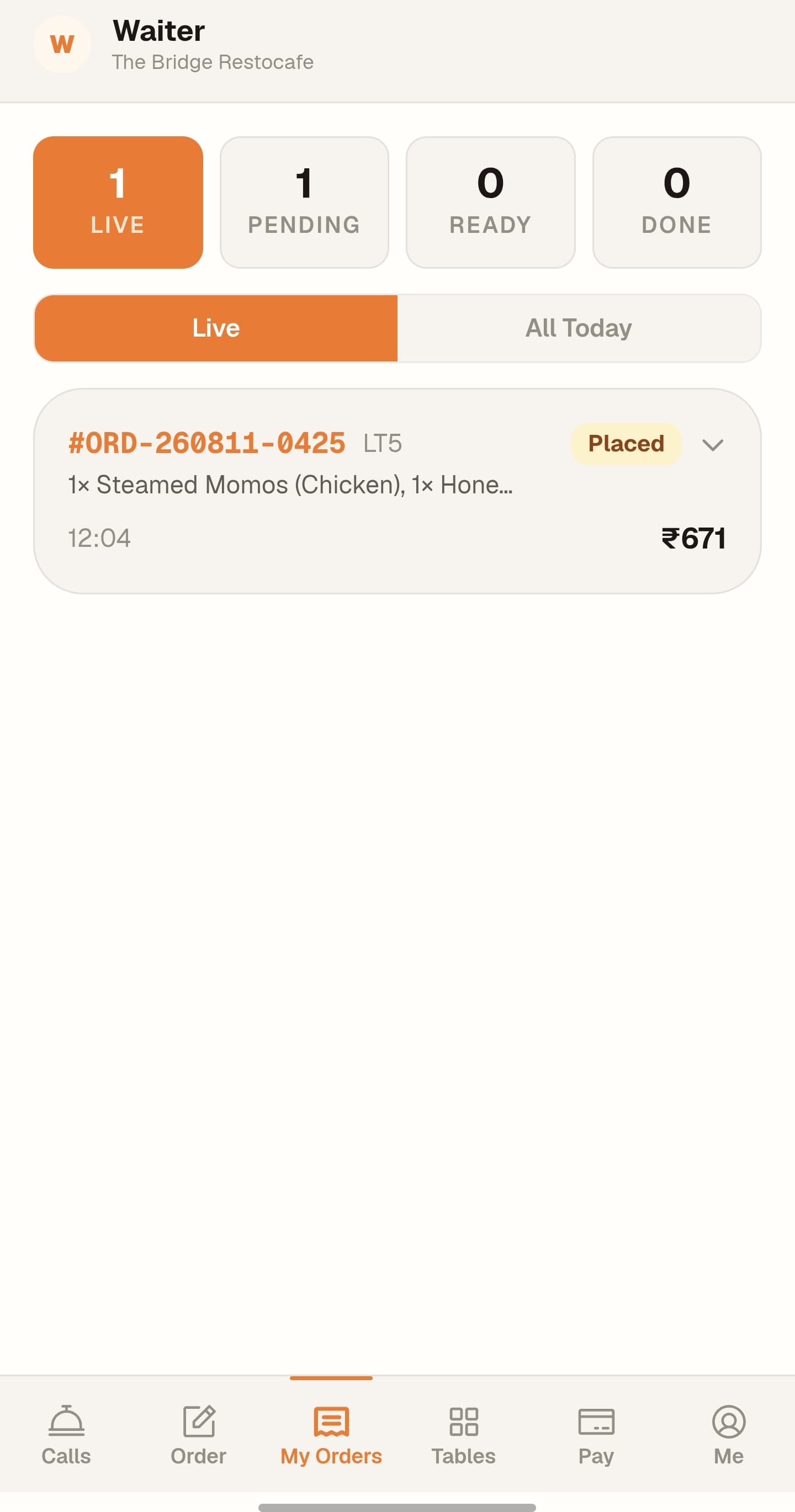
Guest pays their way
At the table, at the counter, or after eating. UPI, card or cash, and a bill can be split across two of them if that is how the table wants to settle.
PaymentsThe bill becomes a GST invoice
Tax splits into CGST and SGST per line, with your GSTIN, HSN codes and FSSAI licence on the document. It is a filing-ready invoice, not a thermal slip.
InvoicingGuest earns points, leaves a review
Loyalty points land automatically. If they want to leave a review, that's right there too, not a separate app.
Loyalty & reviews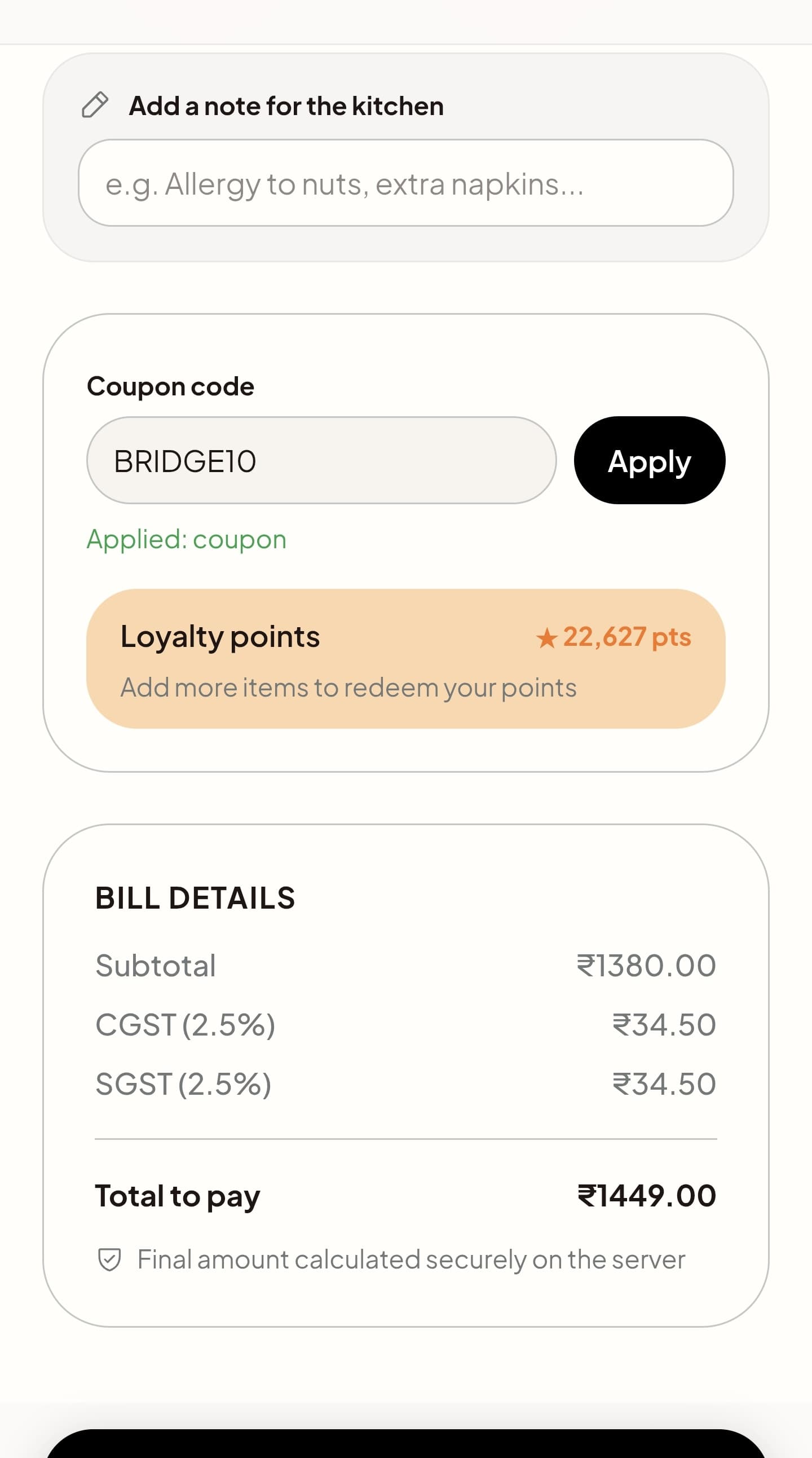
Manager closes out the transaction
The order's marked complete on the manager's side once payment's confirmed. Nothing left hanging open.
Order queueOwner sees it happen live
Payments and expenses update on the owner's dashboard in real time. No end-of-day reconciliation, no waiting for a report.
Owner dashboard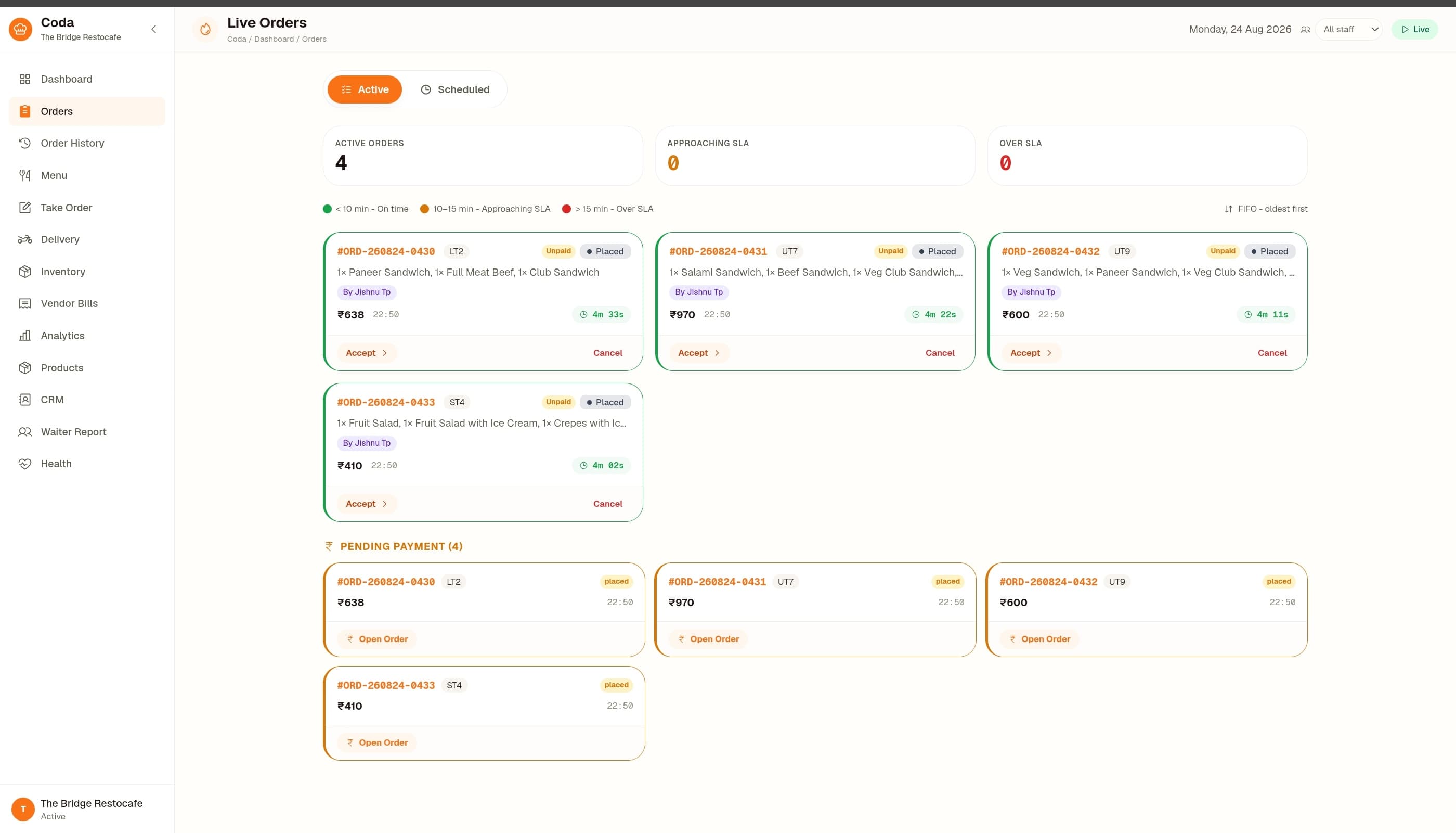
Purchasing and the ledger run on their own clock.
Not tied to a single order, this happens every morning, feeding the same books the owner checks live.
The purchasing app, on its own device
Your purchase manager gets their own app, not a corner of somebody else's dashboard. Vendor, items, amount, logged at the market rather than reconstructed that evening.
Vendor bills captured against the purchase
Photograph the bill and it stays attached to the entry it belongs to. When a vendor disputes an amount three weeks later, the paperwork is already on the record.
Manager reviews before it goes further
Bills get checked against what actually came in before they are approved, catching a short delivery while it can still be raised with the supplier.
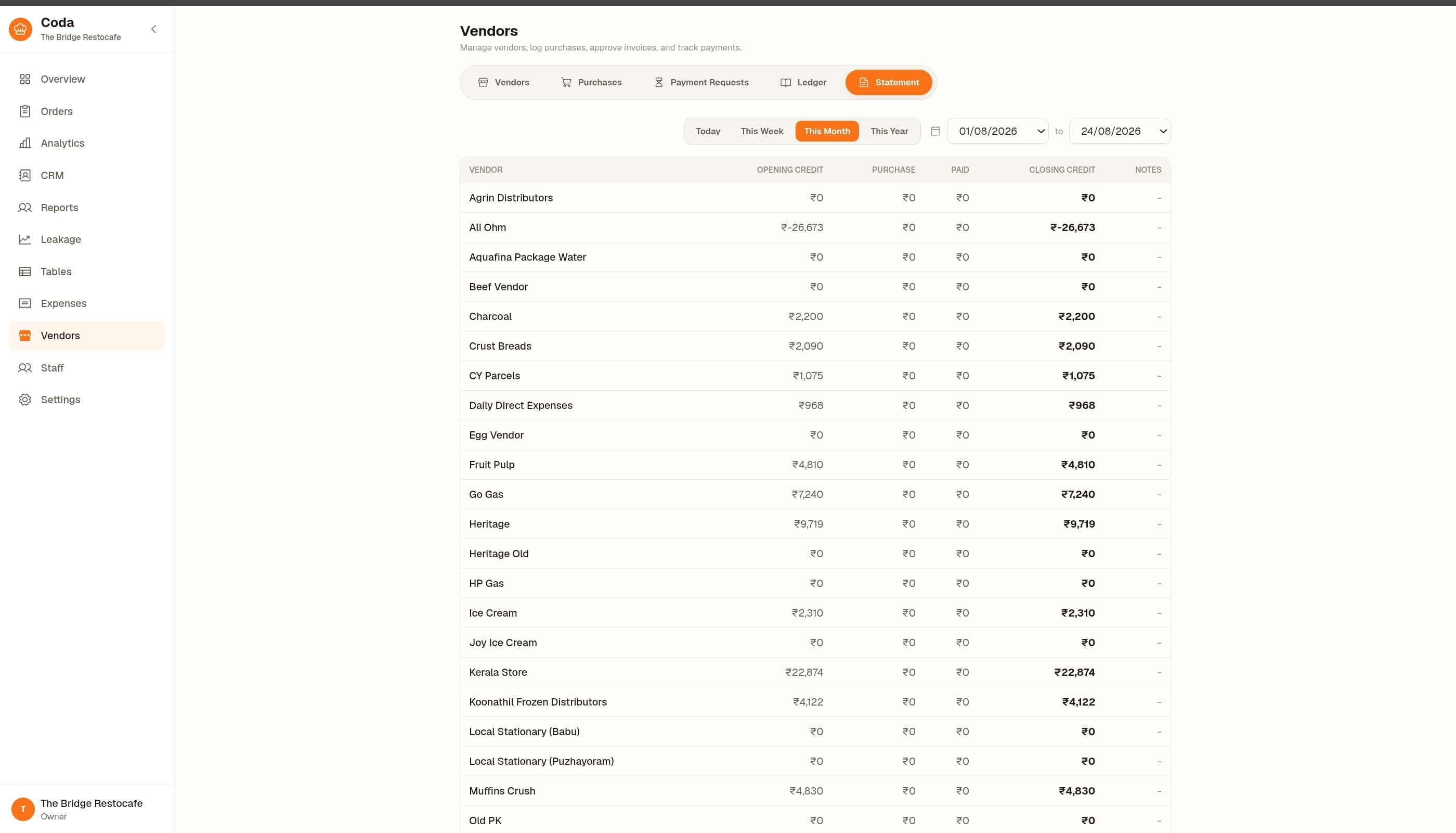
The ledger and the statement update
Approved entries land in the manager's and owner's ledger, and each vendor's running statement updates with what is paid and what is still outstanding.
“We built this in the order we actually needed it. Order in, ticket to the kitchen, table served, books closed. That's the whole job.”
What onboarding actually involves
How long does setup take?
Most restaurants are live within a few days. We build your menu, load your floor plan, and set up staff accounts with you, not through a self-serve wizard.
Do you train our staff?
Yes. We walk your waiters and kitchen staff through the tablet apps in person or over a call before you go live, and stay reachable after.
What happens if something breaks?
You reach the people who built the system directly, not a ticket queue. This is still a small team that answers its own phone.
See it running end to end.
Active at Bridge Restocafe, Ottapalam. Book a 20-minute walkthrough and you will see the real product, not a demo deck.